
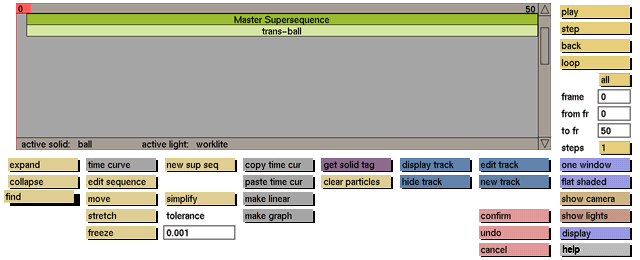
Usage
Click the find button to activate it. The following prompt will appear at the bottom of the menu:
Enter the name to be found

In response to this prompt, enter the name of the required sequence. The requested sequence will be highlighted and placed in the sequence selection box.
Comments
GIG can find the required sequence only if the name is entered correctly. If you do not remember the exact name, enter part of the word as a pattern to search for, and GIG will search for the first occurrence of that pattern. If the name is contained in a collapsed super sequence, the super sequence will automatically be expanded to reveal the named item.


