

Usage
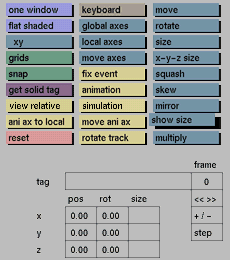
Click the show size button to activate it. The size of the currently active solid will be displayed in the x, y and z-size input boxes. Click the toggle button again to deactivate it.
Comments
The size can be regarded as a bounding box in global-axes coordinates. The sizes are measured along the global x, y and z axis. The size displayed in the input boxes will change when a primitive is rotated.
Show size can take a lot of calculation time with large or complex models. Activate it only when necessary.
See also
x, y and z-size


