
Usage
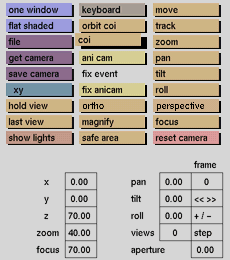
Click the coi button to activate it. The selection submenu will be displayed where you can select a solid by its tag.
Comments
The camera will stay directed towards the origin of the local axes of the selected solid (or node) when using move or one of the other camera transformation functions.
To switch off coi, click the coi button again to deactivate it. This function is also available as an animation option: coi can be animated along a track. The camera will then keep the center of interest centered over a number of frames. (Camera's position and zoom will remain the same, while the angles for pan, roll, and tilt will be overruled by the coi pos -x,-y and -z).
See also
animation menu



