

Usage
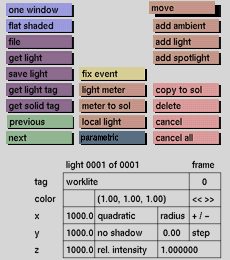
Click the move button to activate it. Then keep the middle mouse button pressed down and move the mouse. The light source or light meter will move along. Press the left mouse button when it is in the required position.
Comments
Light sources may also be positioned accurately with the x, y and z input boxes in the status area. Pick the axis along which you wish to move; the box becomes active (red outline). Then enter the value of the new position of the light. The mouse movements are related to the current window. By changing the current window all transformations are possible. The further a light source is positioned from the object it illuminates, the closer the light rays will come to projecting the light parallel onto the surface (like the sun), creating a very even illumination. The closer a light source is positioned to the object, the more uneven the illumination will be.
See also
light meter, lights input boxes


