
Purpose
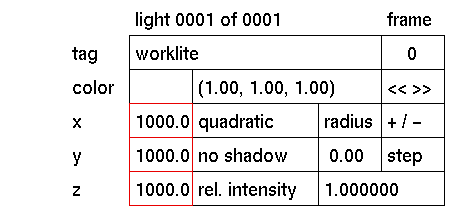
To display or change the x, y or z position of the currently active light or the light meter.
Usage
Comments
See also
Click the x, y or z input box to activate it (red outline). The following prompt will appear:

In response to this prompt, type the value you wish the x, y or z position to be. Press
The entered values are absolute and will be assigned as such. Each time the active selection has been moved by the mouse or keyboard, the resulting position can be read from the x, y and z input boxes.
move


