

Usage
Click the previous button to select the previously created light source. If no light source was created before the current one, the latter will remain active. If a previous light source exists, the current light source will become deactivated and the previous light will become active.
Comments
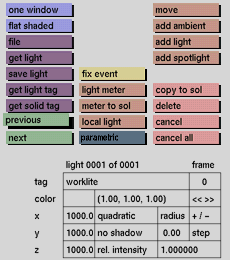
You can easily see how many lights exist by reading the second value of the line "light 0003 of 0004" at the top of the lights input boxes (in this example, of the 4 existing light sources, light source no. 3 is active).
The values for intensity, color and position are shown in the lights input boxes in the status area. These values will be updated when previous finds a previously created light source and activates it. Lights are stored in a list; prev and next let you move through this list, activating individual light sources so that they can be manipulated or animated. Once the required light source has been accessed, it is a good idea to give it a tag for easier access in the future.
See also
next, tag, get light tag, lights input boxes


