

Usage
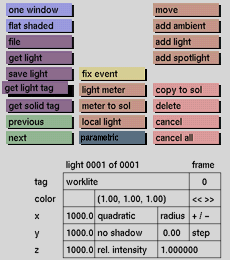
Click the get light tag button to activate it. The selection submenu will be displayed where you can make your selection.
Comments
When you have several lights, the yellow colored light representation in the windows is the active light source. Remember the active light representation is not necessarily visible in any of the windows. (To make it visible, use move or the x, y and z boxes in the status area.) The parameters associated with the currently active light source are displayed in the boxes at the bottom of the menu.
See also
next, previous, lights input boxes


