
Purpose
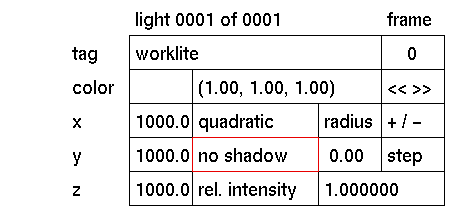
To toggle the currently active light source between shadow casting and no shadow casting.
Usage
click the box to change the text in the box from no shadow to shadow. Click again to change it back.
Comments
When shadow is enabled and the radius input box is set higher then 0, the light source will create a soft shadow. The input box will switch automatically to soft shadow. See radius for more information.
Environments with shadow casting light sources will take longer to calculate by the Raytracer than environments without. Use with caution. Local lights with shadow casting enabled shine and cast light only on those objects they are local to.
See also
radius, local light


