
Purpose
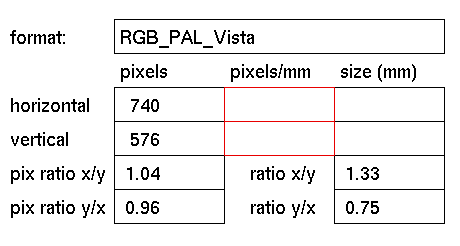
To set and display the number of pixels per mm for the printed image.
Usage
To enter a new value for the number of pixels per mm, click the box
for
horizontal or vertical to activate it (red outline). In response
to the
prompt enter the number of pixels to be used when printing the image.
Confirm by clicking the left mouse button or pressing <enter>.
Comments
GIG will multiply the pixels/mm value with the size in millimeters
value to
calculate the number of pixels needed for the final output image.
The
number of horizontal or vertical pixels and the pixel ratio will
be adapted
to keep the size in millimeters constant.
The rendered images will not contain information regarding size(mm)
and
pixels/mm.
See also
size(mm), pixels horizontal/vertical, get page size, save page size


