
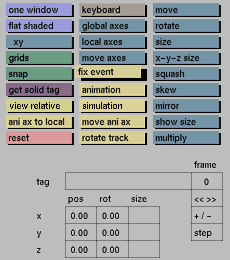

Usage
Click the fix event button to activate it. In the status area the following prompt will appear:
Fix under Master Supersequence frame nr ?

In response to this prompt, type the frame number you wish to assign followed by <Enter> to confirm. If you do not want to fix an event or do not want to do this under the master Supersequence, just press <Enter> to cancel.
Comments
It is advisable to activate the animation button before transforming and fixing objects for animation.
If, at the time you click the fix event button, the currently active part of the tree does not have a tag assigned to it, the following prompt will appear in the status area first:
Solid tag necessary for animation, enter tag:
In response to this prompt, type the tag and press <Enter> to confirm. Press <Enter> to cancel. The Master Supersequence text part of the prompt is variable and depends on which Supersequence is active in the animation menu at the moment the fix event button is clicked.
When using this function, if the animation mode is not active (animation button), it will be activated automatically.
See also
animation, animation menu, Transform menu input boxes


