
Purpose
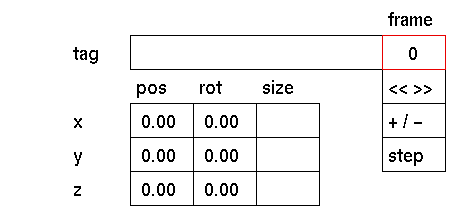
To display a frame of an animation.
Usage
Click the frame input box to activate it (red outline). Next, the following prompt will appear in the input box:

In response to this prompt type the frame number you want to see. Press <enter> or click the left mouse button to confirm. The active windows and the relevant input boxes will be updated with new information where applicable.
Comments
The frame input box can be used as a reference for setting event frames for the functions that may be animated.
When activated, all animated elements will be. repositioned automatically to the status of the environment at that frame. The frame input box is for display (reference) only, no frames are fixed by using this input box. If the environment contains no animated elements this box will not respond.
Whenever an animation contains simulated solids like particles or dynamic spline-skins, they will be simulated if the frame number is changed to a new higher frame number. Because this might be time consuming, the simulation can be interupted by pressing '!', this sets the frame number to the desired new value but the simulation is not the same as when it was not interupted.
See also
animation menu, fix event


